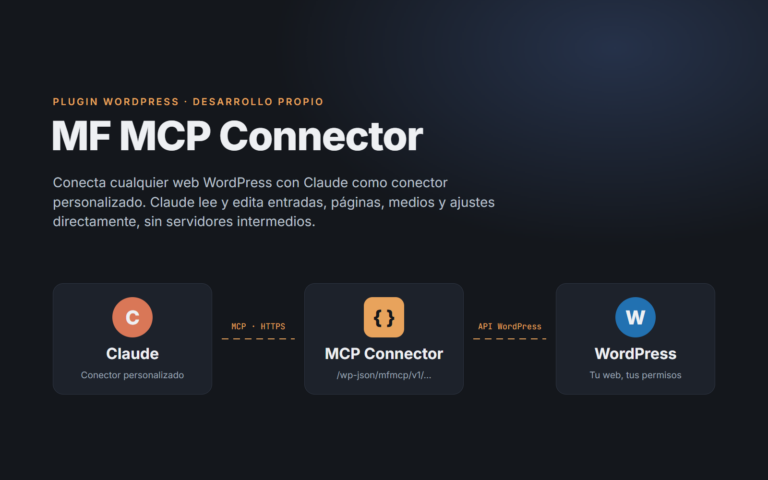
Claude MCP Plugin for WordPress
Claude MCP plugin for WordPress: connect your website with Claude and edit posts, pages, media and SEO from a chat, without…
Swapfeed adds a "Not interested" button to each entry on your website. When the reader clicks it, the card disappears and another takes its place: it's Dismiss & Refill. The result is a self-curating feed, a list that each visitor refines to their taste, like Google Discover or YouTube, but on your own WordPress.
These are real projects from my portfolio. Click ✕ Not interested on any card: it disappears, another comes in and you can undo it or hide its entire category.
Something doesn't interest you? Dismiss it and another entry will take its place.
Claude MCP plugin for WordPress: connect your website with Claude and edit posts, pages, media and SEO from a chat, without…
Design and development of nectarlink.es, a marketplace connecting tour operators with sellers in hotels. Custom WordPress plugin with direct commission system,…
Design and development of excursions.acroacia.com, a custom booking system for tourist excursions in Croatia with Stripe Checkout integration, emails…
Real Estate, Marbella Production and post-production of photos for a vacation apartment in Marbella Playa. DOWNLOAD ALL IMAGES HERE
Real Estate, Marbella Production and post-production of video and photos of a townhouse in the Condes de Iza urbanisation, Marbella DOWNLOAD ALL IMAGES HERE
Trstenik, a small fishing village on the Pelješac peninsula, Croatia, between the Dingač vineyards and the Adriatic. Photographs from the summer of…
That's all: you've already seen or hidden all entries.
What you hide is saved only in your browser. To see everything again, click "Show hidden".
Dismiss & Refill (dismiss and refill) is a UI pattern in which the reader dismisses a content card they're not interested in and, in the same spot, another appears automatically. Without reloading the page and without leaving gaps.
A self-curating feed it's a list of contents that each reader curates for themselves: hides what they don't want to see and the feed reorganizes itself. Unlike an algorithm-personalized feed, here the reader decides, without accounts or tracking.
It's the «Not interested» or «Show less like this» (show less like this) of major platforms, but inside your website: your readers hide posts, products or properties and always have something in front of them that does interest them.
A personalized news feed: the reader hides topics that don't interest them and keeps reading what does.
The client discards projects that don't match what they're looking for and discovers others.
«I'm not interested in this property»: hide properties and make room for others from your portfolio.
The customer hides products they're not interested in and sees others from the catalog.
| Normal post listing | Swapfeed (Dismiss & Refill) | |
|---|---|---|
| What doesn't interest | It stays there taking up space | It gets discarded and another post takes its place |
| Personalization | The same for everyone | Each reader builds their own feed |
| Registration or cookies | — | Not needed: it's saved in their browser |
| What you learn | Nothing | Anonymous report of what your readers hide |
Each card has a «Not interested» button, visible on mobile and desktop.
Another entry that they haven't seen yet goes in the same place. Without reloading the page.
You can undo, hide an entire category with one click or recover what you hid whenever you want.
«Swapfeed» block for the block editor and [swapfeed] for the classic editor, Elementor, Divi or widgets.
Posts, pages or any type of public content: portfolio, properties, WooCommerce products, recipes… Filter by category or tag.
Optional buttons above the list so the reader can choose a topic.
Anonymous report in the dashboard: which categories and posts are discarded the most. Ideal for deciding what to write about.
A small script and stylesheet, only on pages with listings. No jQuery. Compatible with page caching.
Use your own typefaces. Choose accent color, corners, columns, and what to display: image, category, excerpt, date.
Change "Not interested" and other texts from settings. Includes English, Spanish and Croatian, and can be translated.
When deleted it removes its settings and statistics. It leaves no trash in the database.
In the block editor, add the block Swapfeed. Anywhere else, paste the shortcode:
[swapfeed]
[swapfeed count="9" columns="3" category="noticias" filters="yes" title="Lo último"]
| count | Posts per load (1–48). |
| columns | Columns on desktop (1–6). On mobile it's always one. |
| post_type | Any public content type: post, page, portfolio, product… |
| category / tag | Only these categories or tags (slugs separated by commas). |
| exclude / offset | Exclude specific IDs or skip the N most recent. |
| filters | "yes" displays filter buttons by category. |
| image / excerpt / date / term | "no" hides that part of the card. |
| allow_term | "no" removes the "hide all from this category" option. |
| title | Title above the list. |
post_type="product" displays products with their photo, category and excerpt, and the customer can hide the ones they're not interested in. The buy button stays on the product card.Free WordPress plugin, no registration. Install it from Plugins → Add new → Upload plugin and add the block or shortcode [swapfeed].
Need something custom? Write to me: I develop WordPress plugins for real projects.


